unity编辑器-自定义Inspector面板
{{< admonition info "介绍自定义Inspector面板" true >}}
假设为public class MyPlayer : MonoBehaviour类添加自定义Inspector面板
添加编辑器Editor代码如下(必须放在Editor目录中):
using UnityEditor;

[CustomEditor(typeof(MyPlayer))]
public class MyPlayerEditor : Editor
{
    public override void OnInspectorGUI() { }
}
实现OnInspectorGUI具体内容即可 {{< /admonition >}}
写一个普通类
using System.Collections;
using System.Collections.Generic;
using UnityEngine;


[ExecuteInEditMode]
public class MyPlayer : MonoBehaviour
{
    /// <summary>
    /// 枚举
    /// 多选的时候枚举必须是2的次方值,有意义的最小值为1
    /// </summary>
    public enum CodingType
    {
        Nothing=0,
        One=1,
        Two=2,
        Three=4,
        Four=8,
        Five=16,
    }

    // Start is called before the first frame update
    public int id;

    public string playerName= "https://codingriver.github.io ";
    public string backStory= "https://codingriver.github.io";
    public float health;
    public float damage;

    public float weaponDamage1, weaponDamage2;

    public string shoeName;
    public int shoeSize;
    public string shoeType;
    public GameObject obj;
    public Transform trans;
    public Material mat;
    public int popup;
    public int mixedPopup;//可以多选
    public CodingType codingType;
    public CodingType mixedCodingType;//可以多选
    public int gridId;
    public string password= "codingriver";
    public bool isToggle;
    public GameObject go;
    public float knob=5.6f;
    public bool toggleGroupOpen;
    public float fadeGroupValue=1;
    void Start()
    {
        health = 50;
    }

    /// <summary>
    /// 将多选的值转换为多选数组的下标(多选后的值的计算和LayerMask.GetMask类似)
    /// 如果是枚举  则每个值+1后是对应的枚举
    ///
    /// </summary>
    /// <param name="mixedValue">mixed的值</param>
    /// <param name="arrLen">数组数量(如果是枚举则是枚举的数量,排除枚举为0的值)</param>
    /// <returns></returns>
    public static List<int> ResolveMixed(int mixedValue, int arrLen)
    {
        List<int> ls = new List<int>();
        //全选时值为-1
        if (mixedValue == -1)
        {
            for (int i = 0; i < arrLen; i++)
                ls.Add(i);

            return ls;
        }

        for (int i = 0; i < 32; i++)
        {
            if ((mixedValue & 1) == 1) ls.Add(i);

            mixedValue = mixedValue >> 1;
        }
        return ls;
    }

    private void Update()
    {

    }
}
默认展示Inspector面板
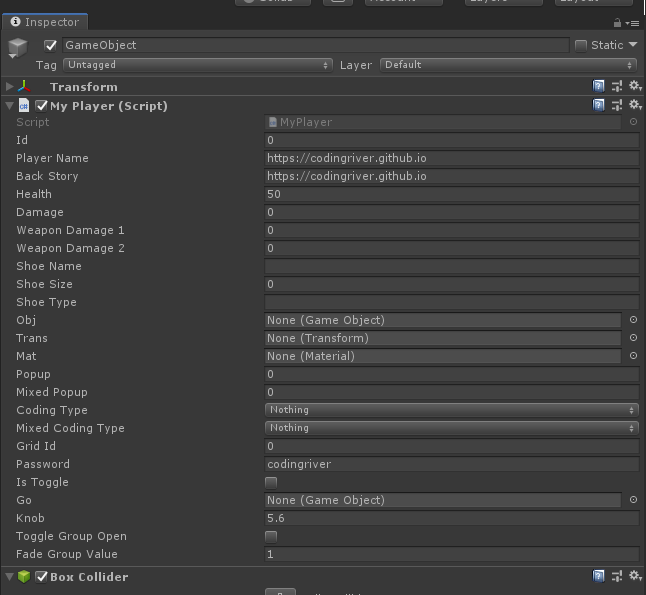
添加Inspector的Editor类
using System.Collections;
using System.Collections.Generic;
using UnityEngine;
using UnityEditor;
using static MyPlayer;

[CustomEditor(typeof(MyPlayer))]
public class MyPlayerEditor : Editor
{
    MyPlayer player;
    bool showWeapons;

    private void Awake()
    {
        Debug.Log("Awake");
    }

    private void OnEnable()
    {
        Debug.Log("OnEnable");
        //获取当前编辑自定义Inspector的对象
        player = (MyPlayer)target;
    }

    private void OnDisable()
    {
        Debug.Log("OnDisable");
    }

    public override void OnInspectorGUI()
    {
        //设置整个界面是以垂直方向来布局
        EditorGUILayout.BeginVertical();


        //Button
        if (GUILayout.Button("Button"))
        {
            Debug.Log("Button Click");
        }

        //RepeatButton 在按着的时候一直返回true,松开才返回false
        if (GUILayout.RepeatButton("RepeatButton"))
        {
            Debug.Log("RepeatButton Down");
        }


        //LabelField
        EditorGUILayout.LabelField("Base Info");
        player.id = EditorGUILayout.IntField("Player ID", player.id);
        //SelectableLabel
        EditorGUILayout.SelectableLabel("SelectableLabel8\nSelectableLabel7\nSelectableLabel6\nSelectableLabel5\nSelectableLabel4\nSelectableLabel3\nSelectableLabel2\nSelectableLabel1\n");


        //密码框
        player.password = GUILayout.PasswordField(player.password, '*');

        //TextField只能一行
        player.playerName = EditorGUILayout.TextField("PlayerName", player.playerName);
        //TextArea可以多行
        EditorGUILayout.LabelField("Back Story");
        player.backStory = EditorGUILayout.TextArea(player.backStory, GUILayout.MinHeight(100));


        //使用滑块绘制 Player 生命值
        player.health = EditorGUILayout.Slider("Health", player.health, 0, 100);

        //根据生命值设置生命条的背景颜色
        if (player.health < 20)
        {
            GUI.color = Color.red;
        }
        else if (player.health > 80)
        {
            GUI.color = Color.green;
        }
        else
        {
            GUI.color = Color.gray;
        }

        //指定生命值的宽高
        Rect progressRect = GUILayoutUtility.GetRect(50, 50);

        //绘制生命条
        EditorGUI.ProgressBar(progressRect, player.health / 100.0f, "Health");

        //用此处理,以防上面的颜色变化会影响到下面的颜色变化
        GUI.color = Color.white;

        //使用滑块绘制伤害值
        player.damage = EditorGUILayout.Slider("Damage", player.damage, 0, 20);

        //根据伤害值的大小设置显示的类型和提示语
        if (player.damage < 10)
        {
            EditorGUILayout.HelpBox("伤害太低了吧!!", MessageType.Error);
        }
        else if (player.damage > 15)
        {
            EditorGUILayout.HelpBox("伤害有点高啊!!", MessageType.Warning);
        }
        else
        {
            EditorGUILayout.HelpBox("伤害适中!!", MessageType.Info);
        }


        //设置内容折叠
        showWeapons = EditorGUILayout.Foldout(showWeapons, "Weapons");
        if (showWeapons)
        {
            player.weaponDamage1 = EditorGUILayout.FloatField("Weapon 1 Damage", player.weaponDamage1);
            player.weaponDamage2 = EditorGUILayout.FloatField("Weapon 2 Damage", player.weaponDamage2);
        }

        //绘制鞋子信息
        EditorGUILayout.LabelField("Shoe");
        //以水平方向绘制
        EditorGUILayout.BeginHorizontal();
        EditorGUILayout.LabelField("Name", GUILayout.MaxWidth(50));
        player.shoeName = EditorGUILayout.TextField(player.shoeName);
        EditorGUILayout.LabelField("Size", GUILayout.MaxWidth(50));
        player.shoeSize = EditorGUILayout.IntField(player.shoeSize);
        EditorGUILayout.LabelField("Type", GUILayout.MaxWidth(50));
        player.shoeType = EditorGUILayout.TextField(player.shoeType);
        EditorGUILayout.EndHorizontal();

        GUILayout.Space(30);
        //ObjectField
        player.go = (GameObject)EditorGUILayout.ObjectField("ObjectField:", player.go, typeof(GameObject), true);

        EditorGUI.indentLevel++;
        //单选 Enum
        player.codingType = (CodingType)EditorGUILayout.EnumPopup("单选(枚举Enum)", player.codingType);
        //多选 Enum
        player.mixedCodingType = (CodingType)EditorGUILayout.EnumFlagsField("多选(枚举Enum)", player.mixedCodingType);

        GUILayout.FlexibleSpace();
        GUILayout.Space(15);
        //单选 String
        player.popup = EditorGUILayout.Popup("单选(字符串)", player.popup, new string[] {"one","two","three","four","five" });

        //多选 String
        int old = player.mixedPopup;
        player.mixedPopup = EditorGUILayout.MaskField("多选(字符串)", player.mixedPopup, new string[] { "one", "two", "three", "four", "five" });
        if(old!=player.mixedPopup)
        {
            Print(player.mixedPopup, new string[] { "one", "two", "three", "four", "five" });
        }
        EditorGUI.indentLevel--;


        //SelectionGrid
        old = player.gridId;
        player.gridId = GUILayout.SelectionGrid(player.gridId, new[] { "1", "2", "3", "4", "5", "6" }, 4);
        if(player.gridId!=old)
        {
            Debug.Log("SelectionGrid:" + player.gridId);
        }

        // Toggle
        player.isToggle = GUILayout.Toggle(player.isToggle, "Toggle");
        player.toggleGroupOpen =EditorGUILayout.BeginToggleGroup("ToggleGroup", player.toggleGroupOpen);

        EditorGUILayout.LabelField("https://codingriver.github.io");
        EditorGUILayout.LabelField("codingriver");


        EditorGUILayout.EndToggleGroup();

        //knob
        player.knob = EditorGUILayout.Knob(new Vector2(100, 100), player.knob, 1, 10, "斤", Color.black, Color.blue, true);

        //用于解决EditorGUILayout和EditorGUI(或者GUI)混着用的情况
        //这样确保自动布局不会乱,不会叠在一起
        Rect a = EditorGUILayout.GetControlRect();
        EditorGUI.LabelField(a, "一个label");

        //不知道干嘛的,字面意思是分离
        EditorGUILayout.Separator();

        EditorGUILayout.Space();


        player.fadeGroupValue = EditorGUILayout.Slider("", player.fadeGroupValue, 0, 1);
        if (EditorGUILayout.BeginFadeGroup(player.fadeGroupValue))
        {
            //...ps:这个应该用于开关的特效,因为Value的值不是0或1时,会让下面所有的控件都无法交互

            EditorGUILayout.LabelField("labelField");
            EditorGUILayout.PrefixLabel("PrefixLabel");
            //点击变蓝的label 可以被选择和复制
            EditorGUILayout.SelectableLabel("SelectableLabel");
        }
        EditorGUILayout.EndFadeGroup();


        EditorGUILayout.EndVertical();
    }


    private void OnSceneGUI()
    {
        Debug.Log("OnSceneGUI");
    }
    private void Print(int mixedValue,string[] textArr)
    {
        System.Text.StringBuilder builder = new System.Text.StringBuilder();
        List<int>list= MyPlayer.ResolveMixed(mixedValue, textArr.Length);
        for (int i = 0; i < list.Count; i++)
        {
            builder.Append(textArr[list[i]]);
            if(i!=list.Count-1)
            {
                builder.Append(",");
            }
        }
        if(list.Count==0)
        {
            builder.Append("Nothing");
        }

        Debug.Log(builder.ToString());

    }

}
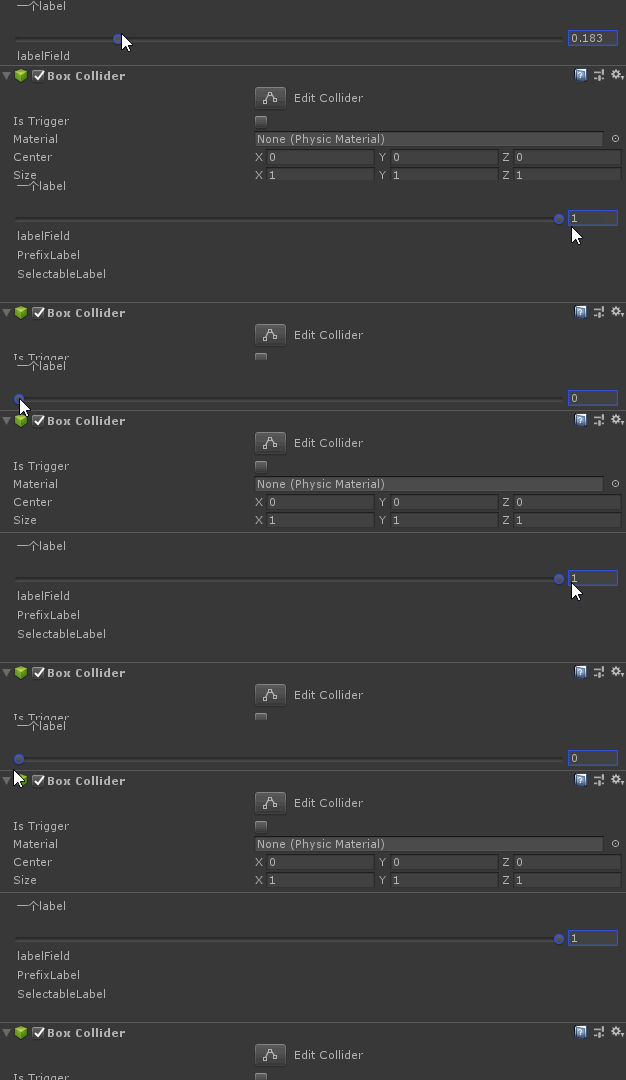
最终效果unity的自定义Inspector面板
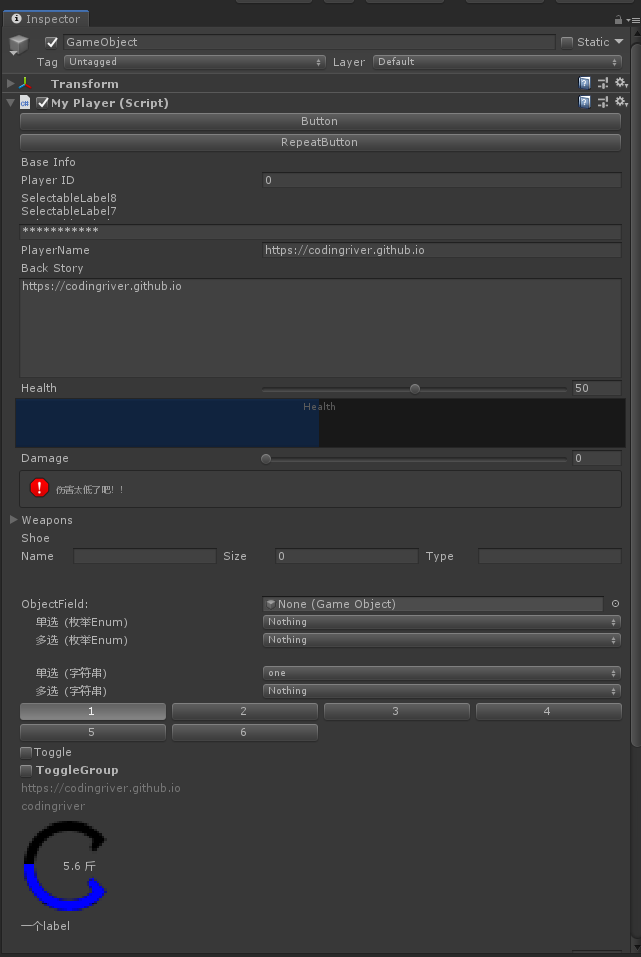
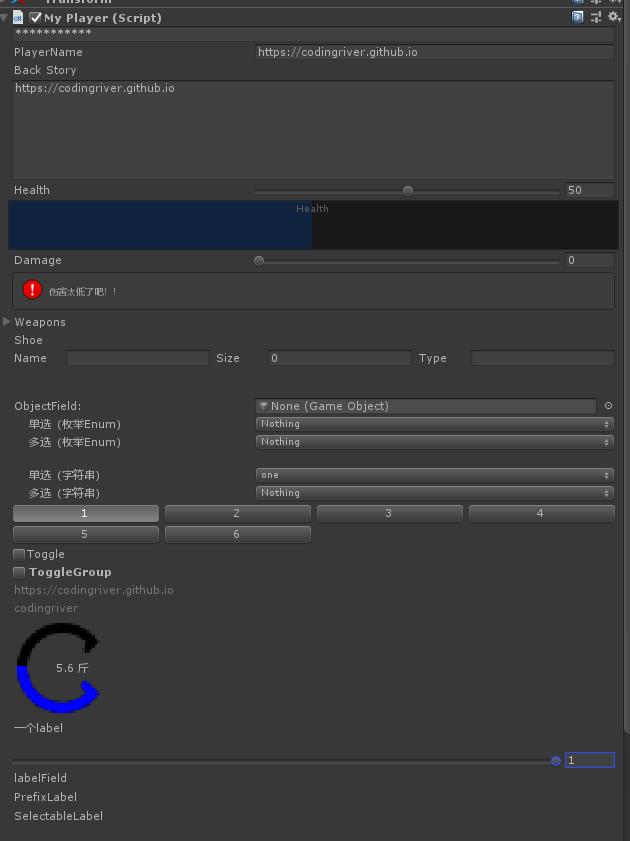
GUILayoutOption:基本每个控件方法都有一个可选参数是GUILayoutOption[] Options 这是一个可以控制组件大小之类的选项,在GUILayout类中共有8个。 看名字应该就知道是设置什么的了。
GUILayout.Height() GUILayout.Width()
GUILayout.MaxHeight() GUILayout.MaxWidth()
GUILayout.MinHeight() GUILayout.MinWidth()
GUILayout.ExpandHeight() GUILayout.ExpandWidth()
参考文章: Unity编辑器扩展: GUILayout、EditorGUILayout 控件整理 unity编辑器扩展#2 GUILayout、EditorGUILayout 控件整理 Unity---Inspector面板自定义